Ghostlight or Ghostlight Pro? Which spectral reverb is right for you
October 25, 2026
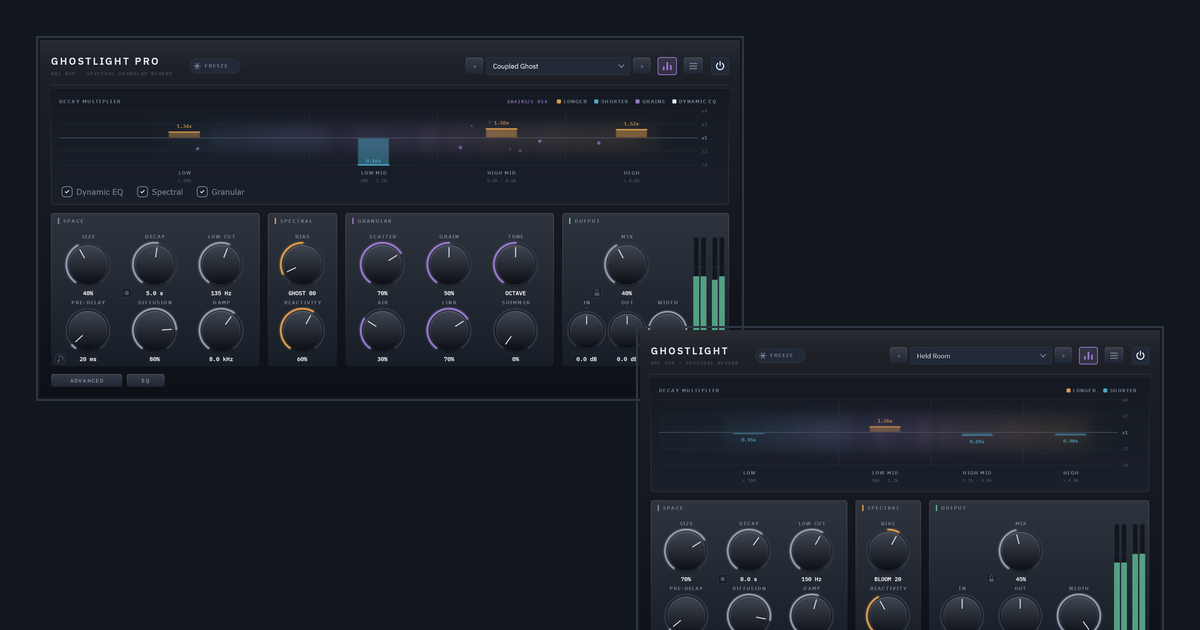
Ghostlight and Ghostlight Pro are close relatives. They share the same reverb core and the same reactive engine, and they look and feel the same. The difference is how much sits around that engine. Ghostlight is the engine on its own, on a small panel where every control is visible all the time. Ghostlight Pro adds a second kind of tail, a deeper control set and a Dynamic EQ.
In one line: Ghostlight is a reverb that is really good at one thing. Ghostlight Pro is the full instrument.
What they share
Both are built on the same core: an 8-line feedback delay network, modulated and diffused inside the loop, which gives a smooth, dense tail comparable to a classic algorithmic hall or plate. Centred, each is simply a very good reverb.
On top of that core sits the idea that gives the pair its name. Where a conventional reverb has a single decay time, both split the tail into four frequency bands and continuously re-weight how long each band rings, based on what your signal is doing. One bipolar control, Spectral Bias, gives you two different instruments:
- Bloom rings the loud bands of your sound longer, so the reverb swells toward what you play.
- Ghost dies the loud bands fast and lets what was hidden underneath ring on instead.
Reactivity sets how far and how fast the bands move. At neutral the engine is exactly bypassed, and the reverb behaves as a plain, high-quality one.
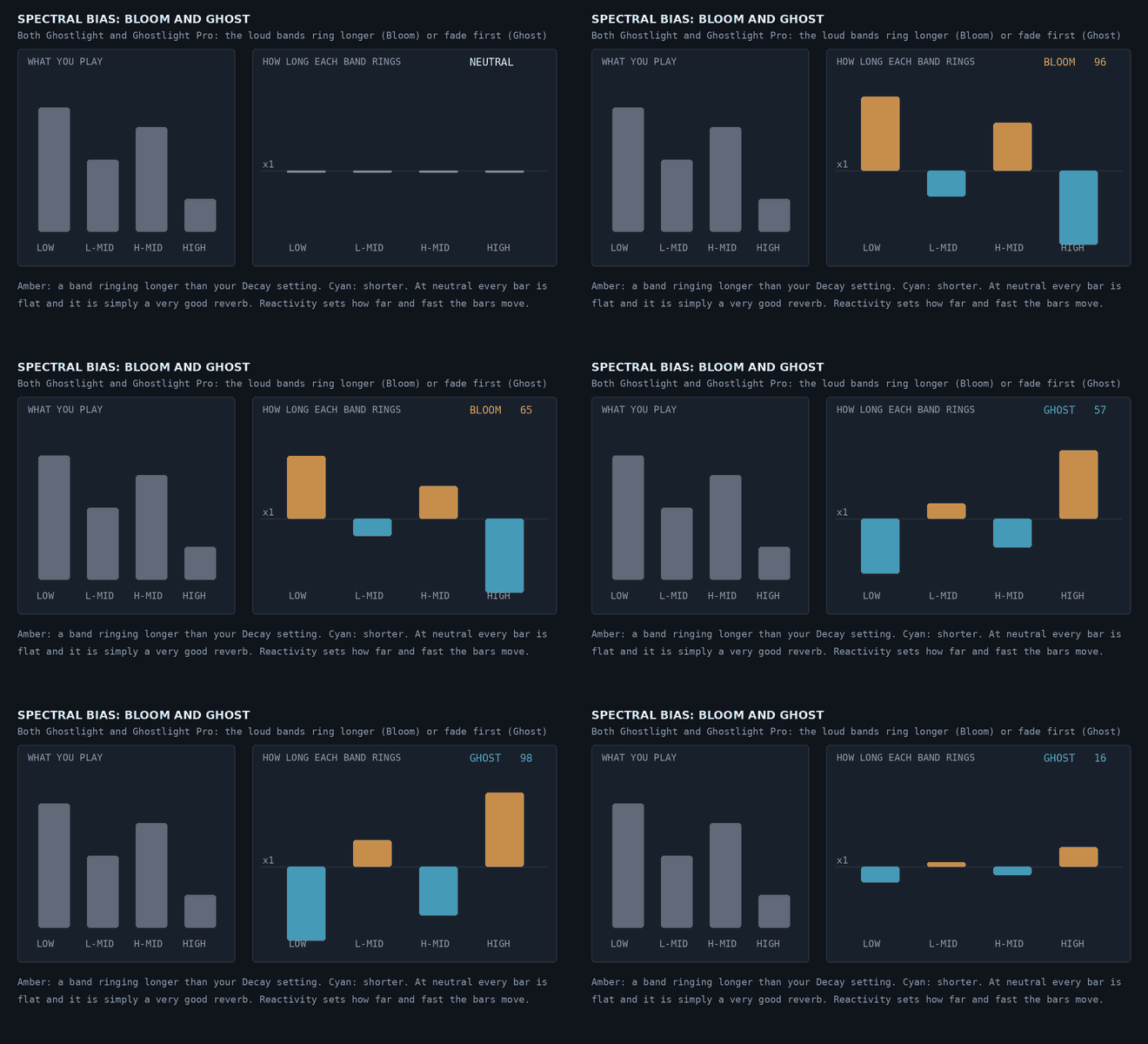
An illustration of the idea. Amber is a band ringing longer than your Decay setting, and cyan is a band dying faster. The size of the movement here is not a measurement.
The rest of the everyday reverb is shared too: Size, Decay, Low Cut, Pre-Delay (which can sync to your tempo), Diffusion, Damp, Mix, Width, In and Out trims, and Freeze. Both also have the kill button beside Decay, which empties the tail in 10 ms without a click, and the padlock beside Mix, which holds Mix, In and Out through preset changes so every preset is heard at your own blend. Both run with zero added latency, and both report their tail to your host so a bounce lets it finish.
Ghostlight: the engine, with nothing hidden
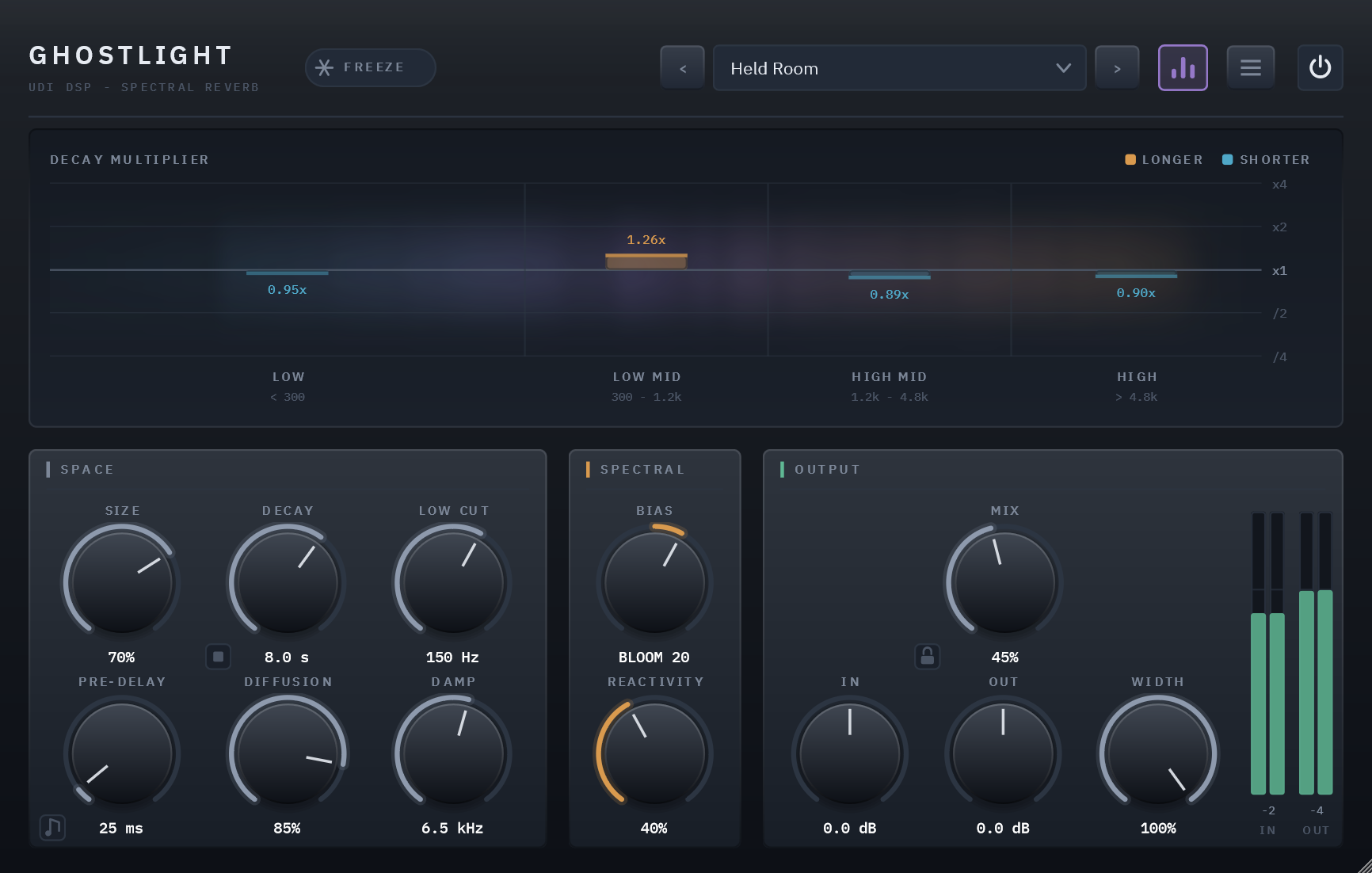
Ghostlight’s panel has three sections: SPACE, SPECTRAL and OUTPUT. There is no advanced drawer and no fourth section. It is deliberately not a cut-down Ghostlight Pro with features missing by omission, but a whole instrument you can see at a glance. Its reverb send is always lightly de-essed, at a sensible middle setting, so long tails stay smooth without a control to manage.
Reach for Ghostlight when you want a reverb that reacts to the music, with a short learning curve, and you don’t need anything in a drawer you would never open.
Ghostlight Pro: a second tail, and the detail to shape both
Ghostlight Pro adds a granular engine and a deeper set of controls around it.
- A second tail, made of grains. Scatter crossfades the smooth tail into a cloud of overlapping grains pulled from its own recent past, each with its own pitch, position and pan. Grain moves between long, sparse grains and short, dense ones, and Air softens them into a haze.
- Shimmer. Grains can be pitched from unison up to two octaves with Shimmer and Tune, snapping to musical intervals by default, and Shimmer Pan can drift them from side to side, with a rate that syncs to your tempo.
- Link. The granular engine listens to the same analysis that drives Bloom and Ghost, so the grains are built from whatever band is actually ringing. Transients scatter, and the two engines behave as one instrument.
- An advanced drawer. Tilt, adjustable Low, Mid and High crossovers (so Bloom and Ghost can target a source’s actual register), Low Width, De-Ess with its own frequency and threshold, and finer grain controls.
- A Dynamic EQ on the tail. Three bands, a low shelf, a mid bell and a high shelf, each with a steady Static setting and a level-reactive Dynamic amount, plus movable Frequency and Q. It touches only the wet tail, never your dry signal.
- Freeze holds the grains too. In Ghostlight, Freeze holds the reverb tank. In Ghostlight Pro it also latches the grain buffer.
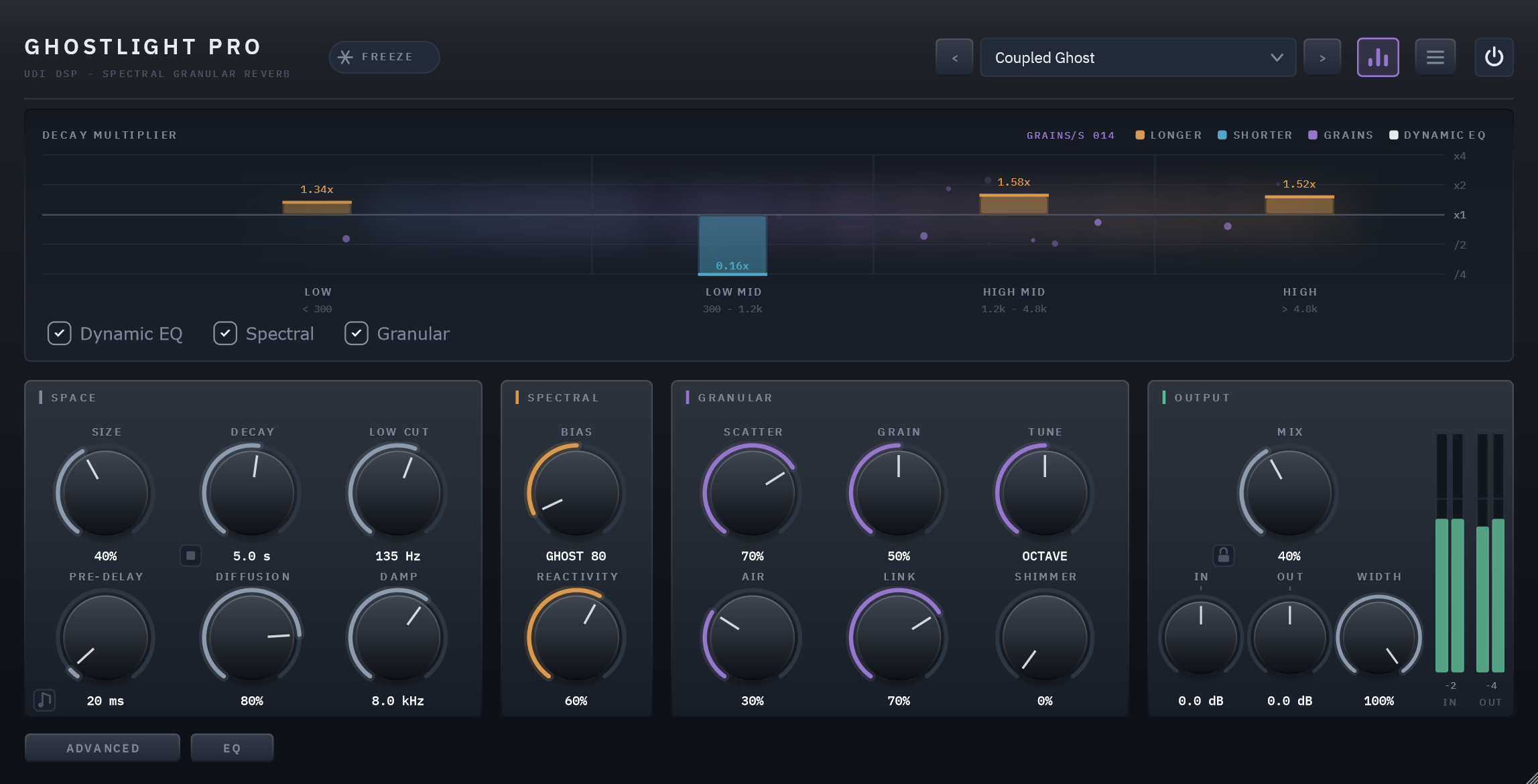
Reach for Ghostlight Pro for sound design, ambient textures, shimmering and ghostly effects, and tails that evolve rather than simply fade.
Side by side
| Ghostlight | Ghostlight Pro | |
|---|---|---|
| The idea | The reactive spectral reverb, on its own | The full instrument: spectral reverb plus a granular tail |
| Reverb core | 8-line FDN, modulated and diffused | The same |
| Space (Size, Decay, Pre-Delay, Diffusion, Low Cut, Damp) | Yes | Yes |
| Reactive spectral decay (Spectral Bias, Reactivity: Bloom and Ghost) | Yes | Yes |
| Granular tail (Scatter, Grain, Shimmer, Tune, Air, Link) | No | Yes |
| Dynamic EQ (3 bands, static and level-reactive, movable Freq and Q) | No | Yes |
| Advanced drawer (Tilt, crossovers, Low Width, De-Ess, grain detail) | No | Yes |
| De-essing | Fixed, always on | Adjustable |
| Tempo sync | Pre-Delay | Pre-Delay and Shimmer Pan Rate |
| Freeze | Holds the tank | Holds the tank and latches the grain buffer |
| Kill button and Mix lock (Mix, In, Out) | Yes | Yes |
| Latency | 0 samples | 0 samples |
| Live parameters | 18 | 53 |
| Factory presets | 45, plus Default | 45, plus Default |
| Panel | Three sections, nothing hidden | Four sections, with ADVANCED and EQ pages |
Which one?
- Choose Ghostlight if you want a high-quality reverb that listens to your music and swells or hides what you choose, on a panel you can learn in a minute. It suits vocals, guitars, strings, keys and mixes that need a space which moves with the performance.
- Choose Ghostlight Pro if you also want to turn that space into something else: shimmer, scattered grains, frozen textures, a tail you can shape with an EQ and a de-esser you can tune. It suits sound design, ambient and cinematic work.
Both come with a trial, so you can hear the difference on your own material.
See Ghostlight → · See Ghostlight Pro → · User guides: Ghostlight, Ghostlight Pro.