Blacklight is a reverb by UDI DSP.
01 What Blacklight is
Blacklight is a reverb you set with two knobs: SIZE, how big the space is, and DECAY, how long it rings. MIX, beside them, sets how much of the room you hear. Put it on a track, turn the two until the room sounds right, and get back to the mix.
Inside is the engine of Clearlight, UDI DSP’s cinematic reverb: the same tank, the same dense early reflections in front of it, the same Clarity that keeps a source readable inside a big space. Clearlight spreads that engine across 41 parameters. Blacklight closes the box and answers those questions itself, from your two. What a real room changes as it grows (when its first reflections arrive, how long they last, how smooth the tail is, how firm its low end) moves with SIZE. And the tail darkens as DECAY lengthens, the way a long ring darkens in a real hall.
It is not a cut-down Clearlight with controls greyed out. Each of its knobs moves several of the engine’s settings at once, along curves made for them, which no single Clearlight control does.
At a glance
- Two knobs. SIZE and DECAY. Everything else is set for you, and moves with them.
- Clearlight’s engine. The same tank, early field and Clarity.
- Decay from 0.35 to 30 seconds, growing darker as it lengthens.
- Freeze in the header, and a stop button at DECAY that empties the tail at once.
- A display that shows the room. A glow as wide as the space and as bright as the reverb, fading as the tail fades, in three color schemes.
- Zero latency, and next to no CPU in silence.
- Twelve presets by instrument and use, plus Default.
02 What the two knobs move
You never need this chapter to use Blacklight. It is here for the curious, and for Clearlight users who want to know where the engine sits. The figures are what Clearlight’s own knobs would read at each setting.
SIZE is the room. Turned up, the space starts later, its early reflections last longer and sit further back against the tail, the tail grows smoother and denser, and its low end is drawn firmer toward the center:
| SIZE | 0% | 55% (default) | 100% |
|---|---|---|---|
| Pre-delay, the gap before the reverb | 4 ms | 16 ms | 44 ms |
| Early, the early reflections against the tail | 50% | 39% | 30% |
| Spread, how long the early reflections last | 55% | 69% | 80% |
| Diffusion, how smooth the tail is | 55% | 74% | 90% |
| Low-End Focus | 20% | 37% | 50% |
The room’s size itself follows the knob too, on the same scale as Clearlight’s Size. Pre-delay grows with the square of SIZE, so small rooms stay tight (under 10 ms below 35%) and the gap only opens up for halls.
DECAY is how long the room rings: the time the tail takes to fall away by 60 dB. It also sets how quickly the tail loses its highs, the corner above which it loses energy on every pass:
| DECAY | 0.35 to 1 s | 2.5 s | 4.5 s (default) | 12 s | 30 s |
|---|---|---|---|---|---|
| Damp | 9.0 kHz | 7.2 kHz | 6.3 kHz | 5.0 kHz | 4.0 kHz |
So a long tail grows darker instead of turning into hiss, as air and walls darken a real one.
Held for you: Clarity at 50%, Clearlight’s own default. It thins, in the tail only, whatever band your source currently fills more than its own long-term average, so a voice stays readable inside a big space. It is the one part of Blacklight that follows your source; the room itself is set by your two knobs and stays as you set it. The early reflections keep Clearlight’s default shape (front-loaded: they arrive with the note and fall away under the tail), a low cut at 150 Hz keeps the bass from muddying the tank, and the tail is full width.
03 Signal flow
The early field feeds the tank and is heard directly as well, so it is part of the space rather than an effect beside it. The safety ceiling at the end guarantees the reverb never goes past full scale; below its threshold it changes nothing at all, sample for sample.
Freeze holds the tank as it is for as long as it is on. The held sound neither decays nor darkens, and what you play meanwhile is not added to it.
04 The panel
One page, nothing hidden: the display at the top; below it SPACE, with SIZE and DECAY large and MIX beside them, and OUTPUT, with your levels and the meters.
Along the header sit Freeze, just after the name, and at the right the preset browser, the visualizer button, the menu (☰) with the visualizer’s colors, panel size, tooltips, the user guide, diagnostics and About, and the power switch at the far right.
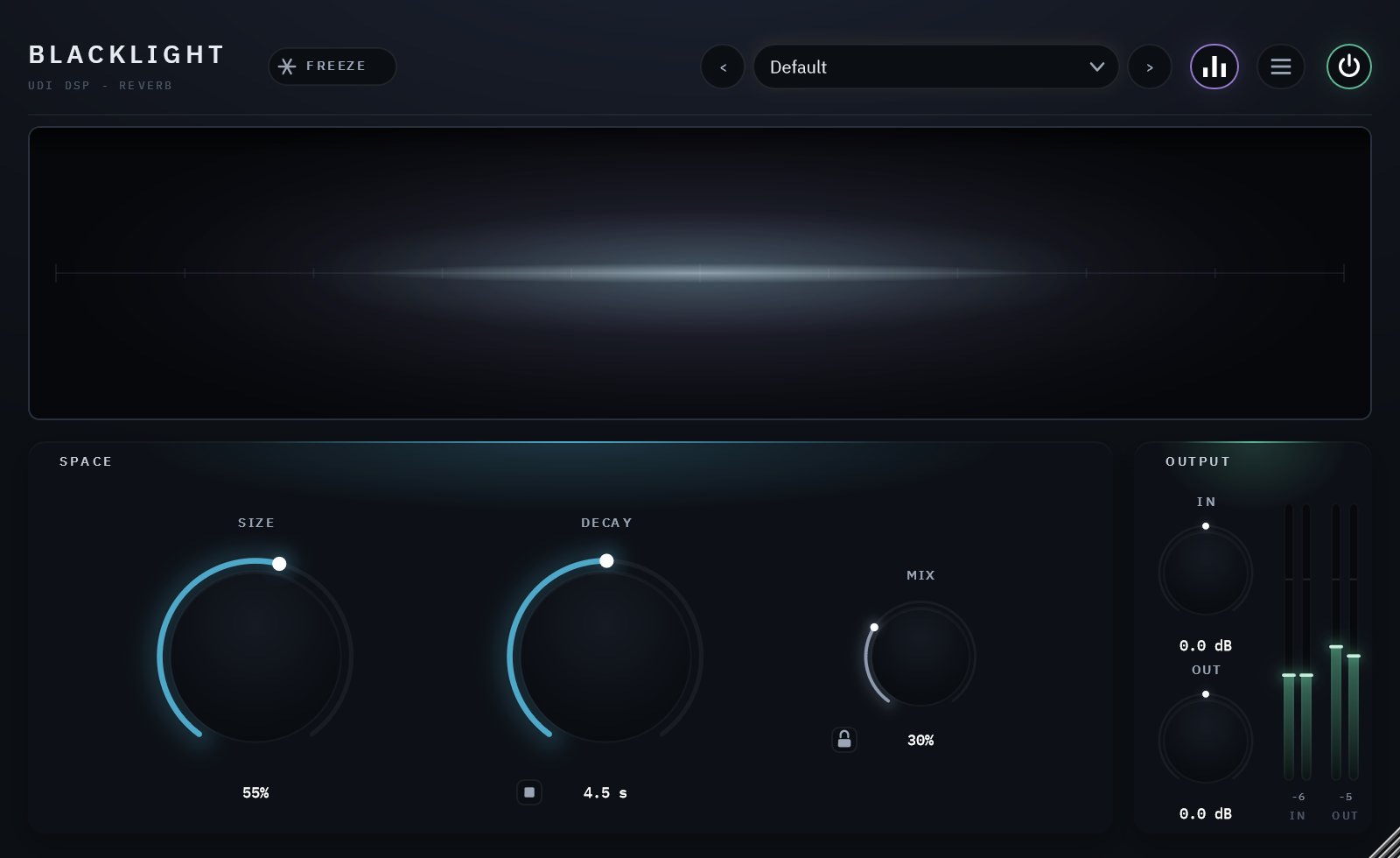
The panel at its defaults, a moment after a sound: the glow fading with the tail.
The power switch
The circle at the top right is Blacklight’s bypass. It crossfades rather than switching hard, and the engine keeps running while it is off: what plays meanwhile still feeds the reverb, so when you switch back the tail is already there, as if it had never been off. The header stays lit while everything below it dims, because the switch to undo bypass lives up there.
Reading the display
The glow is the reverb. It is as wide as the room (SIZE) and as bright as the reverb is right now: its brightness is the finished wet signal’s real level, before MIX, so MIX never changes it. It fades as the tail fades: a 30-second DECAY visibly hangs, a small room snaps dark. With nothing playing it is dark, and bypassed it is dark too. It never moves on its own.
Its colors come in three types, chosen from the Visualizer list in the menu. The choice is kept on this computer, for every Blacklight you open.
Halo, the default: the light in DECAY’s color, a warm white that cools toward blue as a long tail darkens, inside a faint haze whose color follows the loudness: blue when quiet, through violet, to amber when loud.


Loudness: the whole light in one color at a time, the loudness’s: faint blue when quiet, violet, warm amber at the loudest.

Fed or Fading: warm while sound is pouring into the room, blue once the room only rings. Under Freeze it stays blue, since a hold takes nothing in.


None of the three ever turns red: across UDI DSP’s plugins, red means “too hot”.
The visualizer button in the header (or Show Visualizer in the menu) hides the display, and the window shrinks rather than leaving a gap.
Presets
The field in the header shows the loaded preset: 12 factory presets plus Default, grouped into eight categories. See chapter 06.
Resizing
Drag the bottom-right corner. The panel holds its proportions anywhere between 75% and 150%. Choosing a size from the menu’s Panel Size makes it this computer’s size for every new Blacklight; a drag sets this project’s alone.
05 Controls
Listed in the order they appear on the panel, left to right and top to bottom. All of them are automatable from your DAW and saved with your project.
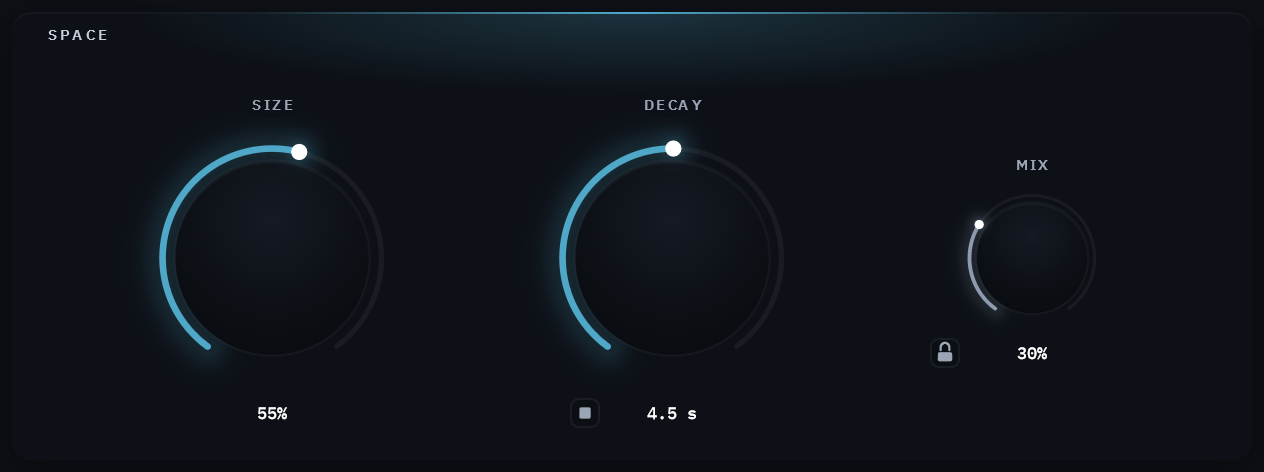
SPACE: the room, and how much of it you hear.
Size
0 – 100% · default 55%
How big the space is. A bigger room starts later, spreads its early reflections longer, sounds smoother and denser, and holds its low end firmer (chapter 02). A move is smooth whichever way you turn it; a jump, from a preset or automation, crossfades rather than sweeping through every size in between.
Decay
0.35 – 30 s · default 4.5 s
How long the room rings (RT60). A longer ring also grows darker, as a real room’s does (chapter 02).
The stop button at the knob’s bottom left empties the tail at once, without waiting for it to die away. Thirty seconds is a long time to sit through between two settings, and that is what it is for: click it, and the next thing you play starts from silence. It fades the reverb out over about ten milliseconds rather than cutting it, so there is no click, and it never touches your dry signal. Under Freeze it also releases Freeze: a hold lets nothing in, so an emptied hold would only sit there silent. The tank is left empty, takes in what you play next, and the Freeze button goes out. It is a real parameter, so a host can automate it to cut a tail at the end of a section.
Mix
0 – 100% · default 30%
The dry/wet balance. The wet rises as an equal-power curve; the dry gives way a little sooner than equal power would have it, so the reverb reads clearly at the 30 to 40% where an insert usually sits (the dry is 1.5 dB down at 30%, 3.8 dB at 50%, 8 dB at 70%). Use 100% on a send: the dry is fully out there.
The padlock at the knob’s bottom left holds Mix, Input Gain and Output Gain where you put them while presets load. Audition the presets with it on and each one arrives with its own SIZE and DECAY, but at your balance and your levels. The lock belongs to the instance, not to the plugin: it saves with the project, it is never carried inside a preset, and a preset you save while it is on still stores all three. A locked control does not mark a preset as modified, so the dot beside the preset name keeps telling the truth.
OUTPUT: your levels and the meters.
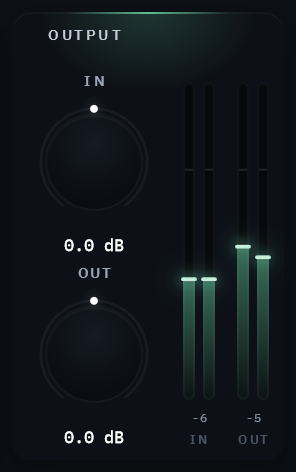
Input Gain / Output Gain
±24 dB · default 0 dB
Trims at either end of the chain. In applies before anything else touches the signal, Out after everything including the Mix blend, so the meters beside them read the level the reverb receives and what leaves the plugin. In is a level match, not a drive.
Each meter shows a falling bar per channel and a peak-hold number in whole dB, held for about a second and a half before it falls: the “how hot did that get?” figure. The Out meter also carries a clip lamp.
HEADER
Freeze
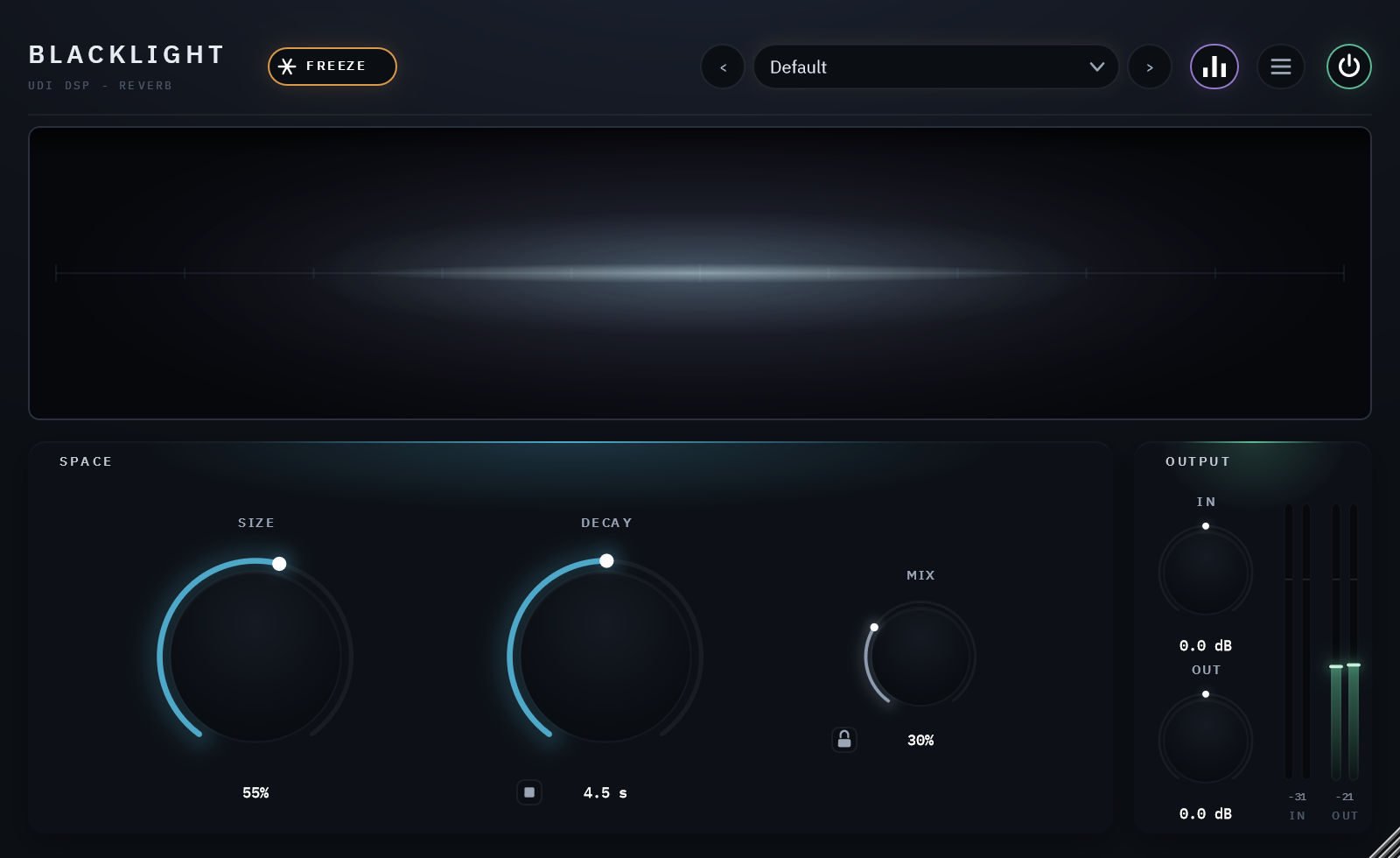
Holds the reverb as it is, for as long as Freeze is on. The held sound does not decay, and Damp no longer wears its top away. Nothing you play while it is on is added to the hold: you hear your playing dry and with the room’s first reflections, which are not frozen, over a tail that stays exactly as it was when you pressed the button. Release Freeze and the tail decays from there, and the room takes input again. The stop button at DECAY empties the hold and releases Freeze in one click. No preset sets or clears Freeze.
06 Presets
12 factory presets ship with the plugin, plus Default, which holds no settings of its own: loading it returns every control to its factory value. A new instance opens on Default.
They are grouped by instrument and use into eight categories, each its own submenu in the header’s preset field: Vocals, Drums, Guitars, Keys, Strings, Cinematic, Ambient and Sound Design. A preset sets SIZE, DECAY and MIX; In and Out return to 0 dB. The arrows either side of the field step through the whole list in order and wrap around.
Three things a preset never moves: Bypass, Freeze, and anything you have locked with the padlock beside Mix.
Clear Tail on Preset Change, in the main menu, is off by default. Turn it on and every preset change empties the tail first, so each one is heard from silence instead of arriving over the last one still ringing. Like the padlock it belongs to the instance: it saves with the project, and every new instance starts with it off.
Save your own from the preset menu. A forward slash files it in a folder: “Pads/Wide and Slow”.
07 Technical specifications
| Format | VST3 and AAX, 64-bit (Windows 10/11); AU, VST3 and AAX (Apple Silicon: macOS 11 Big Sur or later; Intel Mac: macOS 10.15 Catalina or later may work, please try the free 14-day trial to verify compatibility) |
| Channels | Mono or stereo in, mono or stereo out, any pairing. A mono source on a stereo track feeds both sides of the reverb, so its tail is as wide as a stereo source’s |
| Latency | 0 samples |
| Bypass | The power switch at the panel’s top right: a short crossfade, the engine kept running so the tail is still decaying when you switch back |
| Reverb engine | Clearlight’s: an 8-line FDN with a dense velvet-noise early-field stage, and Clarity |
| Decay range | 0.35 – 30 seconds |
| Controls | SIZE, DECAY, MIX, In, Out, Freeze, the stop button, the power switch: 9 live parameters with the host’s bypass |
| Factory presets | 12, plus Default, in eight categories |
| CPU (measured) | 3.6% of one core at the defaults, 3.7% at the heaviest setting (SIZE 100%, DECAY 30 s), playing, at 48 kHz stereo, 512-sample blocks, panel closed (about a tenth of a point more with it open). In silence, once the tail has run out, 0.02%; holding a tail under Freeze, about 2.2% |
| Tail reporting | Worked out from the settings and reported to the host, so a bounce, a track freeze or a host’s silence-suspend lets the reverb ring out in full: the time the tail takes to fall 140 dB, erring long. About 18.5 s at the defaults, about 95 s at DECAY 30 s, and infinite while Freeze holds (an hour to an Audio Unit host, which has no value for infinite) |
| Panel | 800 × 490 at 100%, from 75% to 150% |
| Shares with Clearlight | The reverb engine, licensing and activation, the panel’s toolkit |